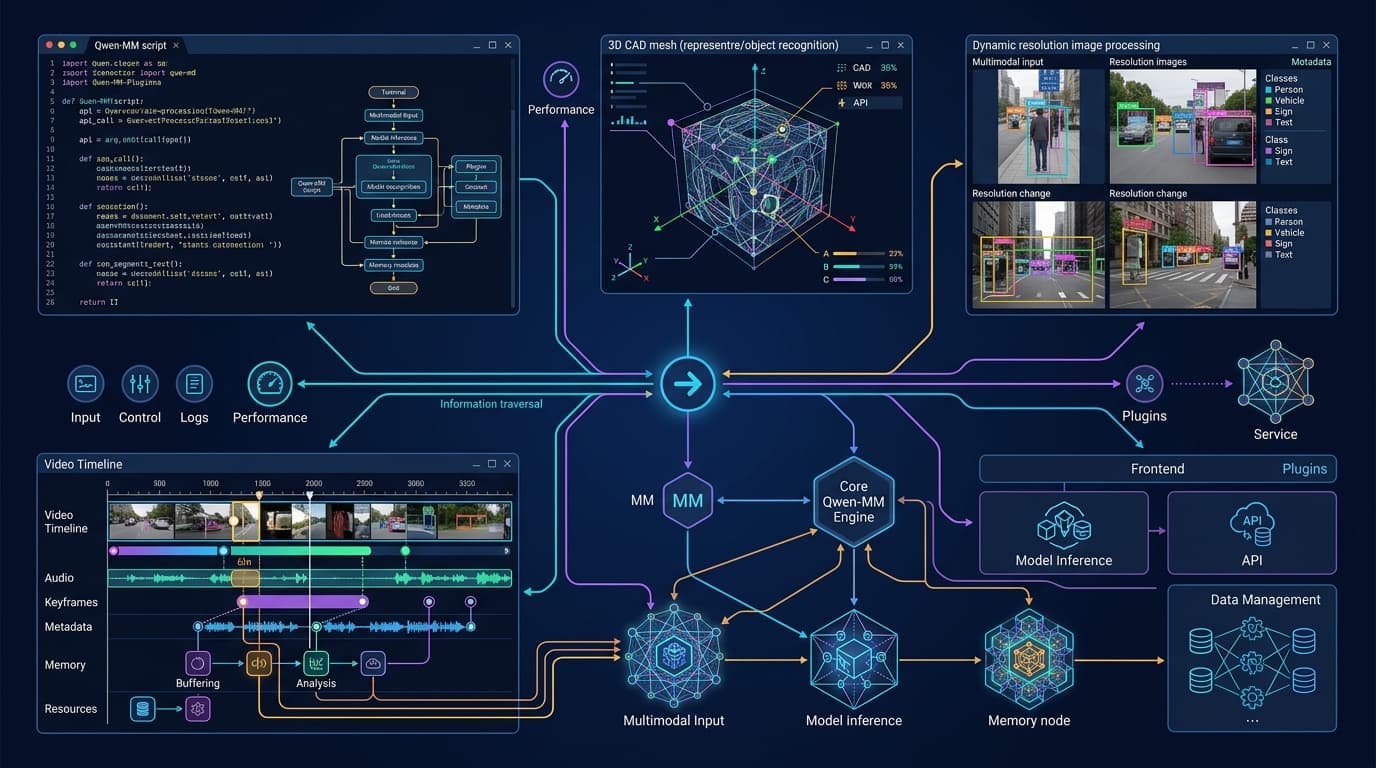

Terminal-based AI agents (such as Claude Code, Qoder, OpenHands, or Codex) have proven highly effective at refactoring code and running CLI test suites. However, they face a structural limitation: they operate blind to the visual environment. They cannot inspect a rendering bug in a browser, analyze a mechanical component in CAD software, process a 40-minute video stream, or verify the layout of a scanned technical document.
Alibaba's Qwen team (QwenLM) has open-sourced Qwen-MM-Plugins, a modular library designed to equip programming harnesses with native multimodal capabilities without rebuilding agent architectures from scratch.
By combining prompt instructions (skills) with Model Context Protocol (MCP) servers, Qwen-MM-Plugins enables any console agent to process dynamic-resolution images, manipulate 3D models in FreeCAD or Blender, and query long-form videos via hierarchical memory graphs.
1. Architecture of Qwen-MM-Plugins: Skills + MCP Servers
The library separates model perception from OS-level tool execution:
┌──────────────────────────────────────────────────────────┐
│              Terminal AI Agent (Harness)                 │
│         (Claude Code / Qoder / Qwen Code / Codex)         │
└────────────────────────────┬─────────────────────────────┘
                             │
            ┌────────────────┴────────────────┐
            ▼                                 ▼
┌──────────────────────┐          ┌──────────────────────┐
│    Skills (Prompt)   │          │   MCP Servers (uvx)  │
│ Instructs model when │          │ On-demand execution  │
│ to call vision tools │          │ of CLI binaries      │
└──────────────────────┘          └──────────────────────┘
            │                                 │
            └────────────────┬────────────────┘
                             ▼
┌──────────────────────────────────────────────────────────┐
│    Shared Configuration (~/.qwen-mm-plugins/config)     │
└──────────────────────────────────────────────────────────┘
Automated Installer
Setup is executed via a guided script that auto-detects installed agent harnesses:
curl -fsSL https://raw.githubusercontent.com/QwenLM/Qwen-MM-Plugins/main/install.sh | bash
The script registers selected plugins in ~/.qwen-mm-plugins/config and exposes them as on-demand executables using uvx, avoiding memory bloat on the agent's main process when visual tools are idle.
2. Core Plugin Modules
Qwen-MM-Plugins is divided into specialized modules that can be activated independently:
| Module | Primary Function | Included Tools |
|---|---|---|
core | Visual perception & multi-format reading | PDF/Office/3D parsing, OCR, visual grounding (bounding boxes), segmentation, ASR, and vision chat. |
video-memory | Hierarchical long-video memory | Event graph (Root → SuperEvent → MacroEvent → Subgraph) & vector index for QA over +30 min video. |
video-edit | Visual clipping & box annotation | Keyframe extraction, bounding box overlay, and guided clip editing. |
freecad / blender | 3D & CAD software integration | Thin-client Python wrappers to inspect, modify, and export parametric geometries. |
edu-agent | Educational material generation | Skill prompt to structure step-by-step tutorials and interactive guides. |
3. Naive Dynamic Resolution Parsing
Sending screenshots to traditional vision models often causes issues due to fixed aspect ratios or image compression, which distorts small buttons and code snippets.
The core module leverages Naive Dynamic Resolution, a feature found in open-weights models from the Qwen family. Instead of resizing images to a fixed square (e.g., 224x224 pixels), the system converts images into a variable number of vision tokens based on their original aspect ratio:
{
  "plugin": "core",
  "tool": "visual_grounding",
  "input": {
    "image_path": "./debug_ui_dashboard.png",
    "query": "Payment confirmation button in the floating modal"
  },
  "output": {
    "bbox_2d": [420, 680, 510, 810],
    "label": "button#submit-payment",
    "confidence": 0.984
  }
}
This visual grounding returns exact pixel coordinates (bbox_2d), allowing terminal agents to pinpoint button locations or identify CSS layout bugs automatically.
4. Hierarchical Long-Video Memory (video-memory)
Analyzing a 60-minute technical recording would instantly overwhelm an LLM's context window if every frame were sent as an individual image.
The video-memory module solves this by building a four-level graph structure:
graph TD
    A[Root: Full 60 min Recording] --> B1[SuperEvent 0-20 min: Initial Setup]
    A --> B2[SuperEvent 20-40 min: Test Execution]
    A --> B3[SuperEvent 40-60 min: Failure Analysis]
    B3 --> C1[MacroEvent: Server 2 Crash]
    C1 --> D1[Subgraph: Frame Extraction at 44m12s]
When queried with "At what timestamp does the connection error appear on the console?", the agent navigates the graph from the root node to the target subgraph, fetching only three relevant frames and reducing token consumption by 94%.
5. Enterprise SME Use Cases
For technical teams, native multimodal capability in the terminal removes manual steps:
A. E2E UI Testing & Visual Bug Patching
The agent runs Playwright tests, captures a screenshot on failure, uses the core plugin to locate misaligned elements, and directly edits the React or Vue component code. This pairs seamlessly with workflows like Figma Context MCP.
B. 3D Model & Parametric CAD Validation (FreeCAD / Blender)
In engineering and machining firms, the agent opens a .FCStd file via the FreeCAD client, measures tolerances, verifies hole alignment against client specs, and generates a PDF report.
C. Technical Document & Blueprint Auditing
Combining OCR with visual grounding, the agent parses architectural blueprints or skewed scanned deeds, identifies notary seals or dimension discrepancies, and updates corporate databases.
Looking to deploy multimodal agents and MCP servers in your business?
At IA4PYMES, we design and deploy agentic terminal architectures connected to your software tools, databases, and CAD environments under strict GDPR compliance.
6. Frequently Asked Questions about Qwen-MM-Plugins
Does Qwen-MM-Plugins only work with Alibaba models?
No. The MCP servers and skill prompts are model-agnostic. They work with Claude Sonnet 5, GPT-5.6, or local open-weights models like Gemma 4 and Qwen 3.6 executed via vLLM/Ollama.
Can these plugins run on local, air-gapped infrastructure?
Yes. The core and video-memory modules can be configured to call local vLLM or Ollama endpoints inside your private network.
How does Qwen-MM-Plugins differ from a standard Python script?
Standard scripts require manual logic for each task. Qwen-MM-Plugins exposes tools via the standardized MCP specification, allowing the AI agent to autonomously decide which visual tool to invoke based on runtime feedback.